Friday, 7 December 2018
How to Downgrade iOS 12.1.1 to iOS 12.1 Without Losing Data
How to Downgrade iOS 12.1.1 to iOS 12.1 Without Losing Data
Turn off Find my iPhone via the Settings app (Settings > iCloud > Find my iPhone).
Download the iOS 12.1 firmware file for your device from our iOS firmware file download page for your iPhone or iPad.
iOS firmware file for iPhone
iOS firmware file for iPad
Note: If you’re downloading the firmware file using Safari then ensure that auto unzip feature is disabled or use Chrome or Firefox. Alternatively, renaming the .zip file as .ipsw file should also work.
Connect the iOS device running iOS 12.1.1 to your computer.
Launch iTunes and select the iOS device from the top left corner.
Then click on Summary in the left-hand sidebar.
Hold the Alt/Option key on the Mac or Shift Key in Windows on your keyboard and click on the Check for Update option, instead of restoring.
Select the iOS 12.1 ipsw firmware file you had downloaded earlier.
iTunes will inform that it will update your iOS device to iOS 12.1 and will verify the update with Apple.
Click Update.
iTunes should now downgrade your iOS device to iOS 12.1.
Method 2
A safer method but it takes more time since you will have to erase your iPhone completely. You will also have to ensure that you already have an iOS 12.1 backup since you cannot restore your iOS 12.1.1 backup on your iPhone or iPad after the downgrade. If you don’t have an older backup, you won’t be able to restore your iPhone after downgrading it back to iOS 12.1.
Sponsor ads:
Gihosoft Free iPhone Data Recovery:https://www.gihosoft.com/iphone-data-recovery-free.html
Gihosoft iPhone Data Recovery Free
Free iPhone Data Recovery Software for Windows/Mac
Recover up to 12+ types of files, including contacts, SMS, photos, WhatsApp, Viber, notes, etc.
Restore lost data from iOS devices directly or from iTunes and iCloud backup
Recover iPhone data lost due to iOS upgrade/jailbreak, accidental deletion, device lost or broken
Support all the latest iPhone, iPad and iPod Touch
Both Free and Pro version.
If you lost data after you updated to a new iPhone, you can always use Gihosoft iPhone Data Recovery to get the data back from the old iPhone or backup.You may also like: iphonerecovery.com
If you use android phones, please choose Gihosoft Android Data Recovery.
With Gihosoft Android Data Recovery, no longer afraid of data loss!
jihosoft Free iPhone Data Recovery
Worth reading:Best youtube downloader online download youtube 1080p

Subscribe to:
Post Comments (Atom)
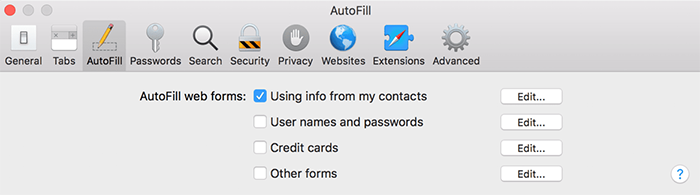
How to Remove Autofill on Mac with One Click
What Does Autofill Mean If you’ve never used autofill before let’s take a minute to go over just what it means. When you fill in a form it t...
-
If I Sign Out of iCloud on My iPhone Will I Lose Everything? The answer to the above question will be stated in the following parts of this ...
-
2Apowersoft iPhone Wipe Tool This is a wipe tool capable of cleaning all types of files. In addition, this tool is also capable of cleaning ...
-
What Does Autofill Mean If you’ve never used autofill before let’s take a minute to go over just what it means. When you fill in a form it t...


No comments:
Post a Comment