4 Best Free Notepad Apps for iPad
If you don’t want to spend money on a notepad app for your iPad, then choose one from the following list which are all free.
1. Evernote
2. Paper
3. Penultimate
4. SimpleNote
1. Evernote
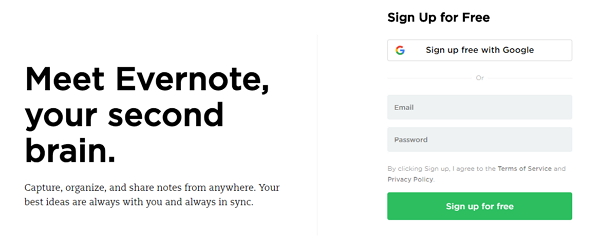
Evernote is a very well-known notetaking app for Android and iOS devices. It offers full flexibility over your notetaking capabilities and includes many useful features.
Pros
Sync notes between device.
Password protect notes.
Download notes for offline use.
Notes are stored on Evernote servers.
Cons
To get full access, you must pay.
Limited uploads.
2. Paper
Another free notetaking app is Paper. It is developed with artistic notetaking in mind such as sketching diagrams or creating charts.
Sponsor Ads:
Gihosoft Free iPhone Data Recovery is a professional iPhone Data Recovery software to get back all your lost text message, photo, video, call history, note, contact and more from iPhone/iPad/iPod Touch.
Gihosoft Android data recovery Free is a super awesome software specialized in Android file recovery. With this program, you are able to recover deleted photos, music, videos, messages, contacts, call logs, WhatsApp messages, Viber chat history and more from Samsung, Huawei, LG, HTC, Motorola, Google, Oneplus, Sony, Lenovo, ZTE and other Android devices directly. Meanwhile, this Android data recovery software is available for both Windows and Mac platforms.
Related Articles:
Most Recommended:
Most Recommended:
Youtube Downloader online

Pros
Perfect for creating diagrams.
Different types of pens and brushes are available.
Simplistic interface.
Easy to navigate throughout the features.
Cons
Lack of basic notetaking features.
3. Penultimate
One advantage to Penultimate which makes it one of the best notepad apps for iPad Pro is that it can be connected to your Evernote account. This means that you can use both platforms for different things while having your notes in one place.

Pros
Cross-platform compatibility with Evernote.
Several colours and pens available.
Choose between plain, lined, or graph paper.
Highlight the important parts of your notes.
Cons
Premium subscription required for full access.
4. SimpleNote
As its name implies, SimpleNote has a user-friendly interface while at the same time having a lot of amazing features. Just like if you have written them down, you can reorganize your notes as needed so that they are in order.